
AI as Capability, Not Conversation: Why Chat-Based Tools Fail Operational Security Work
In the last 18 months, every vendor has suddenly “integrated AI” into their products. Your SIEM has AI now. Your ticketing system has AI. Your monitoring platform has AI. I’ve even seen job schedulers get rebranded with AI features—automation that’s been running for years, now with a fresh coat of marketing paint.
But here’s what’s interesting: most of these vendors won’t tell you which model they’re using. They won’t tell you how it’s trained. They won’t tell you what the prompts look like or how decisions actually get made. It’s just “AI-powered”—a checkbox on the feature list, not a technical specification. Stanford’s Foundation Model Transparency Index (https://crfm.stanford.edu/fmti/) found that companies are “most opaque” about training data and compute—the exact details you’d need to evaluate whether their AI actually fits your use case. The average transparency score dropped from 58 to 40 between 2024 and 2025. That’s the wrong direction.
Some of this is legitimate. Machine learning has been in security tools for years, and calling it AI now isn’t entirely dishonest. Some of it is basic automation with better PR. The cynical part of me wonders how many “AI features” are just well-tuned regex with a GPT wrapper for the demo. Reuters recently covered what they’re calling “AI washing”—overstating AI capabilities in marketing claims (https://www.reuters.com/legal/legalindustry/ai-washing-regulatory-private-actions-stop-overstating-claims-2025-05-30/). From what I see in vendor pitches, that feels about right.
But that’s not really the problem.
The problem is that AI is on everyone’s tongue, but almost nobody can answer the next question clearly: What are you actually using it for?
Not “do you have it”—what work is it doing? What decisions is it making? What outcomes is it improving? And critically: how do you know it’s working?
That’s the question I had to ask my own leadership recently. Not because I’m skeptical of AI—I use it every day, multiple times a day. I’ve built AI-integrated components. Parts of this article were drafted with AI assistance. If you’re listening to the audio version, that’s AI text-to-speech.
I’ve seen AI accelerate work in ways that let me run laps around my old self. I’ve also seen it fail spectacularly when used carelessly—when people treat it like Google instead of a reasoning tool, or when they trust confidence over correctness.
Here’s a concrete example: AI will confidently give you what it thinks a YAML standard should look like based on common patterns, rather than what a specific developer’s implementation actually expects. It’ll pull from an article published two years ago when you know there have been three major updates since then. It guesses instead of searching. It synthesizes instead of retrieving. Sometimes that’s useful. Sometimes it wastes hours of your time chasing answers that were plausible but wrong.
You learn to recognize those failure modes with experience. Most people on your team haven’t built that instinct yet.
So when I asked “what are we doing with AI,” I wasn’t asking whether we should use it. I was asking whether we were building capability or just licensing productivity tools and hoping they’d scale to operational work.
Those aren’t the same thing. And for teams doing security, compliance, risk, or audit work, the difference matters a lot.
The Mismatch Between Productivity and Capability
Let’s be clear about what tools like Microsoft Copilot are actually good at. They’re excellent for knowledge work augmentation: drafting emails, summarizing documents, explaining code, ad-hoc Q&A inside your productivity suite. That’s valuable. For individual contributors doing unstructured creative or analytical work, chat-based AI can genuinely accelerate output.
I’ve seen this work. I was writing a performance review recently and needed to recall some specifics from about 10 months back. I asked Copilot for the concept—not exact keywords—and it found the email thread. Surfaced the right conversation, I re-read it, and it helped me fine-tune the review. That’s legitimately useful. That’s semantic search doing what it’s supposed to do.
I also tried going back three years for something else. The emails were there—our retention policy goes back that far—but Copilot couldn’t find what I was looking for. That’s fine. Not a dealbreaker. Just a reminder that there are boundaries to what the tool can reliably do, even in its core use case.
For individual productivity work, that’s more than acceptable.
But operational security work doesn’t look like that.
SOC analysis requires structured, repeatable outputs. Risk classification needs to be consistent across analysts. Incident enrichment needs to follow known patterns. GRC assessments need to be auditable. Compliance documentation needs to be defensible. And critically—the context of your environment and your organization’s risk tolerance need to be baked into the analysis, not reinvented every time someone asks a question.
Chat-based AI assumes every user will build their own mental model, experiment, iterate, and interpret results on their own. That works fine when you’re brainstorming or learning. It breaks down when the work requires consistency, when variance equals risk, and when someone might audit your decision-making process six months later.
Here’s the core problem: Copilot optimizes for individual productivity. Operational work requires institutional capability.
Perfect angle. That’s the downstream cost nobody thinks about. Let me add it:
For my team, that’s not a subtle distinction. We can’t have five analysts producing five different risk classifications for the same control gap because they each prompted the AI differently. We can’t have audit findings that depend on who happened to run the analysis that day. We can’t have incident summaries that vary wildly in quality based on someone’s skill at follow-up questions.
And here’s what that variance costs in practice: a single word in a prompt can mean the difference between ten hours of remediation work and zero.
If one analyst’s prompt leads to “this is a critical gap,” IT starts emergency patching, change requests get escalated, projects get delayed. If another analyst’s prompt—asking about the same control in the same environment—leads to “this is acceptable given your current posture,” nothing happens. Same control. Same environment. Different prompt. Completely different operational outcome.
That’s not a quality-of-life issue. That’s an organizational efficiency problem. And when you’re working in a regulated environment where audit findings trigger mandatory remediation timelines, the stakes get even higher. You can’t defend “well, it depends on who ran the analysis” to an auditor or your executive team.
Here’s a concrete example of how much variance lives in the prompting itself.
I just tested this with Copilot in an unauthenticated browser session. Same control, two different prompts.
First prompt: “What if we don’t implement the CIS Control ‘Microsoft network client: Digitally sign communications (always)’ is set to ‘Enabled’? For context, our environment is segmented, we have a robust defense in depth program, we run Windows Defender and have all but 3 ASR rules set to enforce, we have active SIEM logging from endpoints and firewalls, and our network is segmented with strong firewall rules in place.”
Copilot’s answer: “In short: your layered defenses already reduce the risk, but not enabling this control leaves a gap in SMB integrity. It’s not catastrophic in your setup, but enabling it would close off a potential lateral movement vector with minimal downside unless legacy compatibility is an issue.”
Second prompt: “What if we don’t implement the CIS Control ‘Ensure Microsoft network client: Digitally sign communications (always)’ is set to ‘Enabled’?”
Copilot’s answer: “In short: not enabling this control leaves your network traffic vulnerable to tampering and credential theft. The security risk far outweighs the minor performance gains of leaving it off.”
Same control. Same tool. Wildly different risk assessments.
The first prompt included organizational context—segmentation, defense in depth, existing controls. The second didn’t. The result: one answer says “not catastrophic in your setup,” the other says “the security risk far outweighs the minor performance gains.”
If you’re an experienced analyst, you know which answer is more useful. You know that risk doesn’t exist in a vacuum—it exists in the context of your environment, your existing controls, your threat model. You know to include that context when you ask the question.
If you’re six months into the job, you might not. You might ask the simpler question, get the scarier answer, and escalate a risk that doesn’t actually need escalation given your current posture. Or worse—you might accept the nuanced answer without understanding why those other controls matter, and miss a gap when one of them isn’t actually implemented correctly.
And here’s the part that doesn’t get talked about enough: some people won’t push back on AI output at all. Not because they’re not smart—they are—but because there’s a built-in deference to the tool. “AI is probably smarter than me, right?” It’s the same authority bias we see with any expert system. If the output sounds confident and well-structured, it gets accepted.
AI is excellent at pattern matching, synthesis, and language generation. It is not excellent at deep domain reasoning, organizational context, or understanding what “good enough” means in your specific environment. Those require human judgment—specifically, experienced human judgment. An analyst with six months on the job might not know when an AI-generated risk assessment has missed a critical business context that would change the severity rating. They might not recognize when a technically correct answer is operationally useless.
If AI outcomes depend on individual judgment at every step, you haven’t built a capability—you’ve introduced another source of variability.
The Hidden Risk: Judgment Variance
The usual framing around AI adoption focuses on “skill gaps” or “prompt engineering.” That’s not wrong, but it misses something deeper.
The real risk isn’t that junior analysts are bad at prompting. It’s that they don’t have the depth to challenge, constrain, or contextualize AI-generated answers.
AI sounds confident even when it’s subtly wrong. Less experienced staff may accept answers at face value, miss nuance, miss downstream implications, or not know what question should come next. They might not realize when an answer is technically correct but operationally misleading. They might not catch when the AI has drifted out of scope or when it’s optimizing for coherence instead of correctness.
I’ve been doing this long enough that I’ve built instincts for when something feels off. I know when to push back on an answer. I know what constraints to apply. I know what the next logical step in the analysis should be. That didn’t come from a training course—it came from years of seeing what breaks, what matters, and what auditors actually care about.
Junior staff don’t have that yet—and that’s fine. That’s what learning looks like. But when we hand them a tool that externalizes all of that judgment to them, we’re not accelerating their work. We’re amplifying the risk that confident-sounding output gets accepted without the right scrutiny.
In regulated environments, that’s not just a quality problem. It’s a governance problem.
Context Pollution: The Failure Mode Nobody Talks About
There’s another issue that only shows up with real-world use, and it’s one of the most under-acknowledged risks of chat-based AI: context pollution.
Here’s what I mean. In a long-running chat session, earlier interactions don’t just disappear—they accumulate. Earlier assumptions linger. Partial conclusions get reused as facts. Edge cases from one question bleed into unrelated questions. After enough back-and-forth, the model starts optimizing for coherence with the conversation history rather than correctness for the current question.
I’ve seen this firsthand. I use Cursor heavily for development work, and early on I was iterating continuously in the same session—asking questions, refining code, tweaking logic. After a while, the model started introducing problems. It refactored stable functions that didn’t need to change. It made assumptions that were relevant three questions ago but not anymore. It drifted out of scope in ways that were subtle but real.
Once I started spawning fresh chat sessions for each discrete task, quality immediately improved. Context stayed aligned. Scope stayed tight. The outputs were more reliable because the model wasn’t dragging forward assumptions from earlier in the conversation.
I didn’t figure this out on my own—I picked it up from one of the Cursor engineering team’s videos where they discussed this exact issue. I tested it. The quality went through the roof. A side project I’d been dabbling with on and off for over a year suddenly broke through. In about a month and a half of nights and weekends—maybe two to three days a week—I accomplished more than I had in the previous six months of fixing what got broken or backing out of rabbit holes I couldn’t even explain.
That’s not a bug—it’s how conversational context windows work. As a session grows, the model doesn’t know which parts of the prior context are still valid. It just knows they exist. So it weights them into the next response, even when they shouldn’t apply anymore.
I know this now. I watch for it. I reset when I need to. I ask clarifying questions to tighten scope when I feel things drifting.
Most team members won’t. They’ll keep going, unaware that the analysis has quietly degraded. Hallucinations increase. Confidence stays high. Substance gets lost.
And here’s the thing—even knowing this, I still fall into the trap. I’ll get deep into a back-and-forth session, correcting and refining, iterating toward something that’s almost right. The context window gets overloaded, polluted with half-finished threads and old assumptions. I can feel the quality starting to slip, but I’m so close. The temptation is to just push through and finish it off. So I keep going. And I just dig the hole deeper.
My own workaround: when I start a new engagement, I build a prompt that helps me restart cleanly. That way, as I iterate, I can take the useful output, fold it into a fresh prompt in a new session, and start clean. It works. But in the heat of the moment—when you’re on a roll, when the deadline’s tight, when you’re sure you’re just one more iteration away from done—the discipline to stop and reset is hard to maintain.
If I struggle with that, and I know what to watch for, how well do you think a junior analyst handles it when they don’t even know context pollution is a thing?
This happens faster with rapid iteration and complex domains—exactly the conditions that SOC work, incident response, and GRC analysis create. And it’s almost invisible to someone who doesn’t already know what good output should look like.
Vendors demo short sessions, clean prompts, happy paths. Real work looks like 30- to 90-minute deep dives with revisions, corrections, iteration, and scope creep. That’s where context pollution appears. And Copilot makes this worse, not better, because it encourages persistent interaction, blends content from multiple sources, and hides context boundaries from users.
When AI output quality degrades gradually due to accumulated context, less experienced users often don’t notice—and that’s where judgment risk turns into institutional risk.
Standard Prompts Don’t Solve This
The obvious response is: “Fine, we’ll create standard prompts and train people to use them consistently.”
That helps. But it doesn’t solve the underlying problem.
Even with standardized prompts, long-running chat sessions still introduce variability. The prompt starts the conversation—it doesn’t control follow-up logic, enforce output structure, prevent scope drift, or encode the institutional knowledge that tells you what to do next.
Here’s the thing: prompts alone don’t encode expertise. Context does.
Context includes what inputs are allowed, what assumptions are valid, what constraints apply, what the next step in the workflow is, and what “good” versus “concerning” output actually looks like.
Two people can use the exact same prompt and get very different outcomes depending on what they know to do with the response. One might recognize when the AI has given a technically accurate but operationally useless answer. The other might take it at face value and move on.
That variability doesn’t live in the prompt. It lives in everything around the prompt—the judgment, the workflow, the institutional memory of what works and what doesn’t.
Chat-based AI externalizes all of that context to every user, every time. For exploratory work, that’s fine. For operational work, it’s a structural problem.
The Engineering Model That Actually Works
So what does work?
The answer isn’t complicated—it’s just different from what most vendors are selling right now.
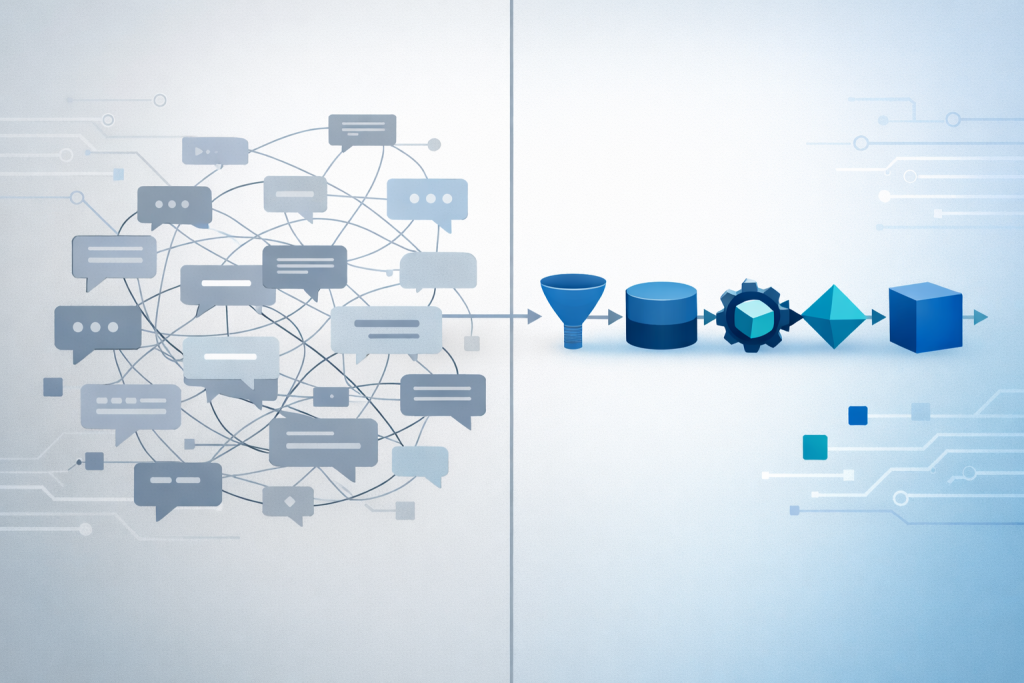
Model AI as a stateless service.
Here’s what that looks like in practice. You take a repeatable task—SOC2 control analysis, risk classification, incident summary generation, whatever—and you build a lightweight service around it. Fresh context per invocation. Explicit, structured inputs. Predefined prompts with known constraints and controlled parameters. Deterministic sequencing. Structured outputs. Logged inputs and outputs for auditability.
Each analysis starts from a clean, controlled context. Nothing persists unless you explicitly persist it. Context pollution is nearly eliminated by design because there’s nothing to pollute—no conversational state, no hidden assumptions, no lingering conclusions from previous runs.
This isn’t “AI magic.” It’s applying the same engineering discipline we use everywhere else in production systems: stateless services, clear contracts, versioned logic, repeatable operations, monitoring and observability.
You wouldn’t build a production application on mutable global state. You shouldn’t build AI workflows that way either. And that’s exactly what conversational AI is—mutable state. Every interaction changes the context. Every follow-up question adds assumptions. When AI starts pulling from prior conversations or blending context across sessions, you’ve got shared mutable state across an entire organization. That’s a recipe for unpredictable behavior.
Stateless AI services solve this by design. Every invocation is isolated. Every analysis starts from the same known baseline. The only state that matters is what you explicitly pass in—and you control exactly what that is.
And here’s where it gets powerful: within the service, you can encode the parameters that matter for your organization. Say you’re building a risk assessment service. If you clearly define your organization’s risk tolerance, existing control posture, and environmental context up front, you level the playing field. An experienced analyst who knows to provide that context and a junior analyst who doesn’t both get the same baseline. You also control for analysts whose personal risk tolerance might be stricter—or looser—than what the organization is actually willing to accept.
Remember the CIS control example earlier? The difference between “not catastrophic in your setup” and “security risk far outweighs the minor performance gains” came down entirely to whether organizational context was included in the prompt. In a stateless service, that context isn’t optional—it’s baked into the service definition. Every invocation gets it. Every output reflects it.
When you model AI this way, you get real operational benefits. Outputs are consistent regardless of who runs the task. Junior staff get the benefit of senior judgment without needing to become prompt engineers. Quality is reviewable and auditable. Changes are versioned and intentional. Risk posture is explainable to auditors.
You’re not asking your team to “use AI.” You’re giving them better tools that happen to be AI-powered. That’s a critical distinction.
I’ve built this model as a microservice tool for SOC2 analysis—not as a full product, just a proof of concept to see if the approach held up under real use. So far, in testing it has. Here’s exactly what this costs and saves, because nobody talks about real numbers – Under $10 in API calls for about 15 SOC2 control analyses. In the near future, it’s available to my team for testing. If we adopt it after vetting and getting buy-in, it’ll become the default tool.
And the time savings are real. I think this tool will save four to five hours per SOC2 report. It can digest 10- to 20-page SOC reports—sometimes longer—and surface the nuggets of information that are actually necessary to make an informed analysis. That means my analysts don’t have to die slowly inside reading 20,000+ words of god-awfully boring compliance language to find the things that matter.
A knowledge worker still has to do the work. The tool doesn’t make decisions. But it streamlines the hell out of the process. Analysts fill in structured fields, click run, review output, and apply their judgment to the result. The consistency and quality are significantly higher than ad-hoc chat usage, and nobody has to become a prompt engineer to use it.
That’s what institutional capability looks like. You capture the mental model once and reuse it. You don’t ask every analyst to reinvent it from scratch every time they open a chat window.
Why This Matters for Regulated Work
Let’s connect this back to what actually happens in operational security and compliance work.
When AI is embedded in structured workflows:
- Outputs are consistent regardless of who runs the task
- Quality doesn’t depend on someone’s ability to ask good follow-up questions
- Analysis is auditable—you can trace inputs, prompts, and reasoning
- Changes are versioned and deliberate, not accidental drift
- Risk decisions are defensible when someone asks “how did you reach this conclusion?”
- Institutional knowledge gets preserved and reused instead of locked in individual practitioners
When AI lives in chat:
- Outputs depend on individual skill, experience, and judgment
- Quality varies based on who’s using it and how long the session has been running
- Auditability is fuzzy at best—good luck reconstructing the reasoning six months later
- Variance compounds over time as different people develop different habits
- Risk decisions are hard to defend because the process isn’t repeatable
- Senior expertise stays trapped in senior people—it doesn’t scale
For SOC analysis, GRC assessments, incident response, audit prep—work where variance is risk—that difference isn’t academic. It’s the difference between a capability you can rely on and a tool that introduces as many problems as it solves.
If AI depends on how well someone prompts, it’s not a scalable solution for a regulated team.
Where Chat Still Fits
To be clear: chat-based AI has legitimate, valuable use cases.
It’s excellent for brainstorming, learning new domains, drafting content, exploring ideas, ad-hoc research, and answering one-off questions. For those contexts, conversational flexibility is the feature, not the bug. You want open-ended exploration. You want the ability to iterate and refine. You want the model to follow your train of thought even when it’s messy.
The issue isn’t that chat is wrong. It’s that chat and capability are different things, and most organizations are conflating them.
Copilot is a productivity tool. It’s designed to make individuals more effective at unstructured knowledge work. That’s useful. But it’s not the same as building AI into operational workflows where consistency, governance, and auditability matter.
Both can coexist. Chat-based tools for exploratory work and individual productivity. Modeled services for structured operational work. The mistake is assuming one can replace the other, or that buying productivity tools will automatically deliver capability outcomes.
The Real Strategic Question
Here’s what it comes down to.
Organizations face a choice, whether they realize it or not: treat AI as personal productivity software and accept the inherent variability, or engineer it like any other enterprise capability with appropriate controls and governance.
Both approaches are valid. Mixing them—buying productivity tools and expecting capability outcomes—is where things break.
If you’re deploying chat-based AI for individual use, you need to accept that outputs will vary by user, that quality will depend on skill and judgment, and that governance will be loose. That’s fine for a lot of work. It’s not fine for everything.
If you need consistency, auditability, and institutional capability, you need to structure AI differently. You need to treat it like any other production system: define inputs, control context, version logic, monitor outputs, build review gates.
The question to ask isn’t “should we use AI?” It’s “where does AI need to be modeled as a service, and where can it live as a chat tool?”
Most organizations haven’t asked that question yet. They’re still in the “we bought licenses, therefore we’re doing AI” phase. That’s not strategy—that’s procurement with a narrative.
What This Looks Like in Practice
If you’re trying to figure out where your organization actually is on this, here are the questions worth asking:
What work requires consistency and auditability?
That’s where AI needs to be embedded in structured workflows, not left to individual chat sessions. SOC analysis, risk classification, compliance assessments, incident documentation—those aren’t exploratory tasks. They’re repeatable processes that need institutional quality control.
What work benefits from exploration and flexibility?
That’s where chat-based tools fit. Research, brainstorming, learning new domains, drafting content—work where the goal is discovery, not consistency.
Are you building the structure around AI, or just buying the interface?
Prompts alone won’t get you there. The real work is defining inputs, constraints, workflows, and review gates. If you’re not investing in that structure, you’re not building capability—you’re distributing tools and hoping individual users figure it out on their own.
Can you explain how AI-generated decisions were reached if an auditor asks?
If the answer is “it depends on who ran the analysis and what they asked,” you have a governance problem. If the answer is “here are the versioned prompts, logged inputs, and structured outputs,” you’re in much better shape.
What happens when your most experienced users leave?
If their expertise lives in their heads and their chat sessions, it leaves with them. If it’s encoded in modeled services, it stays with the organization.
Those questions will tell you whether you’re building capability or just distributing tools and hoping for the best.
A Final Note
I’m not skeptical of AI. I use it daily—multiple times a day. I’ve built AI-integrated components. I’ve seen it work. I’ve also seen where it breaks down, and it’s almost never the model’s fault. It’s the structure around it. Or the lack of structure.
The teams that figure out where AI needs guardrails and where it needs freedom will build real capability. The ones that treat it as productivity dust they can sprinkle on everything will spend the next two years wondering why outcomes didn’t match the demos.
We’re past the point of debating whether AI is useful. The question now is whether we’re deploying it in ways that match how the work actually gets done—and in regulated environments, how the work needs to get done. Variance isn’t just inefficiency. It’s risk.
Chat-based AI is a tool. Modeled AI services are a capability. Both have a place. Just don’t confuse one for the other, and don’t expect your $30/month Copilot licenses to solve problems they were never designed to address.
The organizations that get this right early will have a real advantage. The ones that don’t will figure it out eventually—usually after enough variance-driven incidents that someone finally asks the question I had to ask my SVP:
“What are we actually using AI for?”
If you can’t answer that clearly, you’re not behind on AI adoption. You’re just not there yet.
Podcast: Download (Duration: 29:47 — 16.1MB) | Embed
Subscribe to the Cultivating Security Podcast Spotify | Pandora | RSS | More