
Identity used to be simple. Users had accounts. Accounts had passwords. You managed them in Active Directory or LDAP. Authentication happened at the perimeter, and once you were inside, you were mostly trusted.
That model is completely inadequate for how organizations actually work now.
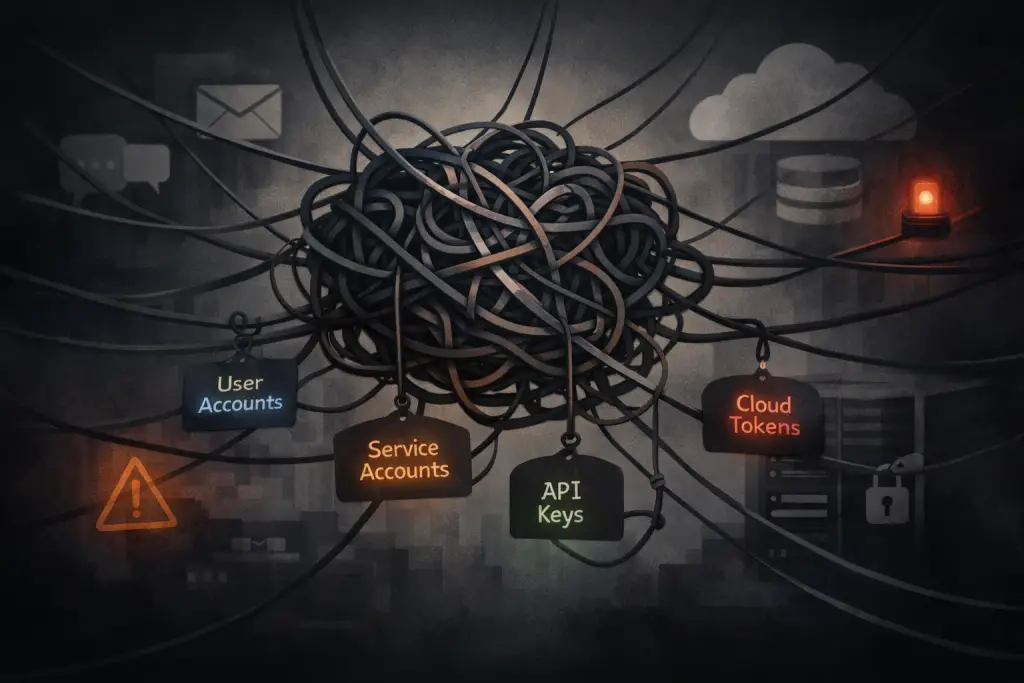
Identity is the perimeter now. Users authenticate to dozens of different services. Applications authenticate to other applications. Service accounts, API keys, OAuth tokens, federated access, just-in-time provisioning—it’s not one directory with one authentication method anymore. It’s a sprawling mess of identity stores, authentication mechanisms, and access patterns that most organizations only partially understand.
And this sprawl isn’t theoretical. It’s the attack surface that matters most. Credential theft, account compromise, privilege escalation, lateral movement—these are the techniques that actually succeed in breaches. When organizations get compromised, it’s usually because someone got access to credentials that gave them more than they should have had.
So if identity is the real perimeter, you’d think we’d have it locked down. But most organizations are underwater on this, and many don’t even realize how bad it is.
Why Identity Got Complicated
It didn’t used to be this way.
When infrastructure was mostly on-premises and applications were mostly internal, you had centralized identity management. Active Directory for Windows environments, LDAP for Unix. Users logged in once, got a ticket or token, and that authenticated them to internal resources. Service accounts existed but they were relatively few and you could keep track of them.
Then SaaS happened. Now your users are authenticating to Salesforce, Office 365, Google Workspace, Slack, GitHub, AWS, Azure, and fifty other services. Some of these federate back to your directory. Some don’t. Some use SAML, some use OAuth, some use proprietary authentication mechanisms.
Then cloud happened. Your applications now run in AWS or Azure or GCP, and they need to authenticate to cloud services. So you have IAM roles, service principals, managed identities. And your on-premises applications still need to talk to cloud services, so now you have hybrid identity scenarios.
Then APIs became the primary way applications interact. Every integration is an API call, and every API call needs authentication. API keys, OAuth client credentials, service account tokens—they proliferate like weeds.
Then CI/CD pipelines became critical infrastructure. Your deployment pipelines need access to repositories, artifact storage, cloud infrastructure, production systems. Those are credentials too, often highly privileged ones.
The result is identity everywhere, in forms that don’t fit the centralized management model we used to have.
The Service Account Problem
User accounts are at least somewhat visible. You can see them in your directory. You can review them periodically. You can enforce MFA. You can detect anomalous authentication patterns.
Service accounts are where things get messy.
Applications need credentials to run. Batch jobs need credentials. Integrations need credentials. These aren’t interactive users—they’re automated processes. And they need access to data, to APIs, to infrastructure.
How do you manage that? In a lot of organizations, the answer is “poorly.”
Service accounts with passwords that never change. Hard-coded credentials in application config files. API keys stored in environment variables. Shared credentials used by multiple systems. Overprivileged access because it was easier to just give broad permissions than to figure out exactly what was needed.
And then there’s the vendor problem. You’re installing some enterprise application, following the vendor’s deployment guide, and you get to the service account section. What permissions does it need? “Oh, just make it a Domain Admin—we’ve found that works best.”
Wait. What?
Yeah. Domain Admin. For a reporting tool. Or a backup agent. Or some middleware that touches three specific file shares. The vendor engineer on the call says it with a straight face, like this is perfectly reasonable. And if you push back, if you try to scope it down to actual required permissions, you’re told that’s “unsupported” or that they “can’t guarantee functionality” if you don’t follow their documented requirements.
So now you’ve got a choice: deploy the thing your organization paid for according to vendor specs (with Domain Admin credentials sitting in a config file somewhere), or spend days reverse-engineering what it actually needs, knowing that when something breaks, vendor support will point right back to that non-standard configuration.
And these credentials tend to be long-lived. A user password might get changed when someone leaves or every 90 days or when MFA gets enforced. A service account password might literally never change once it’s set up, because changing it means updating all the places that use it, and nobody’s entirely sure where all those places are.
This is a massive security problem. If an attacker gets one of these credentials, they have persistent access that might not trigger any of your detection mechanisms because the activity looks like normal automated operations.
The API Key Explosion
APIs are how modern applications work. Your web application calls an API to authenticate users. Your mobile app calls an API to sync data. Your third-party integrations call APIs to exchange information.
Every one of those API calls needs authentication. Sometimes it’s OAuth with relatively short-lived tokens. Sometimes it’s API keys that don’t expire.
Where do those keys live? In configuration files. In environment variables. In secrets management systems (if you’re doing it right, but a lot of organizations aren’t). In developer laptops. In documentation. In Slack messages and email threads and wiki pages.
And here’s a question you should ask but probably don’t want to know the answer to: are there even separate keys for dev and prod?
You’d be surprised how often the answer is no. Or “technically yes, but we use the prod key in dev because the dev environment kept having issues” or “we copied prod to staging to troubleshoot something and never changed it back.” So now your production API credentials are sitting in three different environments with different security controls, different access policies, and different definitions of “who can SSH into this box.”
They spread organically. Developer needs to integrate with a service, generates an API key, uses it. Works great. Key is now embedded in code or config. Gets committed to a repository. Gets copied to other environments. Gets shared with other team members who need to work on that integration.
Six months later, nobody remembers that key exists. It’s still valid. It still has whatever permissions were granted initially. It’s still sitting in places nobody’s tracking.
Rotate it? Maybe if you’re lucky it’s documented somewhere and someone remembers to include it in a rotation process. More likely it’s forgotten until it either breaks something or shows up in an incident investigation.
And then there’s the vendor API problem—the other side of the coin from all those keys you’re managing internally.
You’re evaluating a new SaaS product. It’s marketed as a “modern cloud platform” with “seamless integrations” and “API-first architecture.” Great. You need to integrate it with your existing systems.
You ask about their API. They send you documentation. You open it up and find XML-based requests with username and password authentication embedded in the payload. Not OAuth. Not API keys with proper rotation support. Literally username and password in XML, transmitted with every request.
In 2025.
You ask about OAuth support or token-based authentication. “That’s on our roadmap,” they say. Or “our enterprise customers haven’t requested that.” Or my personal favorite: “our API is very secure—we support TLS encryption.”
Yes. TLS is the bare minimum for transmitting anything over the internet. That’s not a security feature; that’s table stakes. It doesn’t make username-and-password-in-every-request a good authentication model.
But this is a vendor your organization has already committed to. Contract’s signed. Budget’s allocated. Integration needs to happen. So now you’re building connectors to a “modern” platform using authentication patterns that were outdated a decade ago, and you get to explain to your auditors why you’ve got service credentials being transmitted with every API call instead of using token-based auth with proper expiration and rotation.
The vendor will eventually update their API. Probably. In a few years. After enough customers complain. And then you’ll get to rewrite all your integrations to use the new endpoints, because they won’t maintain backward compatibility with the old authentication model forever.
This is what “API-enabled” sometimes means in the vendor world
OAuth and Federation (Better But Still Complicated)
OAuth and SAML federation are massive improvements over hardcoded passwords and long-lived API keys. No question.
Instead of giving every application its own credential store, you authenticate centrally and get tokens that prove your identity. Tokens expire, which limits the window of compromise. Tokens can have scopes that limit what they can access. You can revoke them centrally.
This is better. But it’s not simple.
You’ve got multiple identity providers. Your corporate IdP for employees. Social logins for customers. B2B federation for partners. Each one is a trust relationship that needs to be configured correctly.
You’ve got token lifetimes to manage. Too short and you’re constantly re-authenticating users (bad user experience, and they’ll find ways around it). Too long and a compromised token has extended validity.
You’ve got consent flows and scope management. What can this application actually access? Did the user consent to that? Does the application request appropriate scopes or does it ask for everything just in case?
You’ve got refresh tokens, which are long-lived credentials that can be used to get new access tokens. If an attacker gets a refresh token, they can maintain access even after access tokens expire. Where are refresh tokens stored? How are they protected? Most people don’t have good answers.
And then there’s the quality problem with SSO implementations themselves.
You’d expect that if a SaaS vendor advertises SAML support, they’ve implemented the core spec requirements—including certificate rotation.
Here’s what actually happens: I’ve seen major vendors hard-code SAML signing certificates in their implementations. Not as bugs—as design choices. (This reflects a pattern I’ve encountered multiple times across the industry with various vendors, large and small, startup and mature.) When the cert nears expiration and needs rotation, the only path forward is to completely tear down the SSO configuration and rebuild it from scratch. New metadata exchange. New attribute mapping. New testing. All your users re-provisioned.
The vendor’s response when you escalate? Schedule a maintenance window for the rebuild.
Certificate rotation isn’t an edge case. The OASIS SAML 2.0 Metadata specification explicitly allows multiple signing keys to be published simultaneously using KeyDescriptor elements to support planned certificate rollover. This enables relying parties to trust both the current and future signing certificates during a transition window—preventing outages and eliminating the need for destructive reconfiguration.
This expectation also aligns with broader security guidance from NIST SP 800-57, which treats cryptographic key lifecycle management and rotation as foundational security hygiene, not optional enhancements. When a SaaS vendor implements SAML in a way that cannot tolerate routine certificate rotation without downtime or rebuilds, that’s not a limitation of SAML—it’s an implementation failure.
And this wasn’t a quick fix. This was days of work—coordinating with the vendor, scheduling downtime, communicating to users, rebuilding configs, testing, hoping nothing broke. The kind of thing that makes your identity team lose faith in humanity for a solid month.
This is what “SSO-enabled” sometimes means in practice. The vendor checks a box on their feature matrix, passes whatever minimal validation their sales team needs, and ships something that technically works but operationally fails the moment you need to do normal security hygiene.
And you’ve got service-to-service OAuth flows (client credentials grant), which in practice can end up looking a lot like the API key problem—long-lived credentials that need to be managed and rotated and tracked.
The Visibility Problem
Here’s a question: how many service accounts exist in your environment right now?
If you can answer that accurately within 10%, you’re ahead of most organizations.
How many API keys are currently valid? Where are they stored? What do they have access to? When were they last used?
How many OAuth applications are integrated with your identity provider? What scopes have been granted? Which ones are actively used versus which ones were set up for testing and forgotten?
How many shared credentials exist—passwords or keys that multiple people or systems know?
Most organizations genuinely don’t know. They have partial answers. The service accounts in Active Directory are documented (maybe). The API keys the platform team knows about are tracked (possibly). But the complete picture? That’s rare.
And without visibility, you can’t manage the risk. You can’t rotate credentials you don’t know exist. You can’t enforce least privilege if you don’t know what access has been granted. You can’t detect anomalous usage if you don’t know what normal usage looks like.
The Least Privilege Gap
Every security framework says you should implement least privilege. Only grant the access that’s actually necessary. Review permissions regularly. Remove access that’s no longer needed.
In practice, this is incredibly hard with sprawling identity.
When you set up a new integration, do you carefully analyze exactly what permissions are required and grant only those? Or do you grant broader permissions to make sure it works, intending to narrow it down later, and then never actually getting around to the narrowing part?
When someone changes roles, do you remove their old permissions and grant only the new ones? Or do they accumulate permissions over time because removal is risky (what if they still need that access for something?) and nobody wants to break things?
And then there’s the cross-training excuse. “I need to keep my old access so I can train my replacement.” Okay, fair enough—for a while. But at what point is that training actually done? Two weeks? A month? Six months later when they still have full admin rights to systems they haven’t touched in half a year?
The problem is that “training my replacement” becomes “I might need to help out occasionally” becomes “well, we never know when we’ll need someone who understands the old system” becomes permanent access that nobody questions because there’s always some theoretical justification.
And nobody wants to be the person who removes access and then gets blamed when something breaks. So the permissions stay. They accumulate. The person who started in desktop support five years ago and moved through three different roles? They’ve probably still got local admin rights on workstations they haven’t touched in years, plus database access from when they helped with a migration, plus application admin from that temporary project assignment.
When a service account is created, does it get exactly the minimum necessary permissions? Or does it get admin rights because figuring out the minimum is time-consuming and admin rights definitely work?
The path of least resistance is almost always more permissive than it should be. And over time, that accumulates into significant over-privileging.
This matters because privilege is what determines the impact of compromise. A stolen credential with read-only access to a single database is bad. A stolen credential with admin rights to your cloud environment is catastrophic.
The Lifecycle Management Challenge
Identity sprawl isn’t just about how many identities exist. It’s about how they’re managed over time.
User accounts have a lifecycle: provisioned when someone joins, modified when they change roles, deprovisioned when they leave. Most organizations have at least basic processes for this (though they’re not always followed consistently).
Except when the applications themselves make that impossible.
You’ve got an application where audit logs are tied directly to user accounts. Not to user IDs that persist after account deletion—actually tied to the active account. Which means if you delete the user, you delete all their audit records.
Now you’re in a bind. Someone leaves the organization. Policy says terminate their access immediately. Compliance says retain audit records for seven years. The application developer made a terrible design decision years ago, and now you’re stuck with it.
So what do you do? You disable the account but can’t delete it. It sits there—disabled but present—for years. Multiplied across dozens of applications with similar problems, you end up with hundreds or thousands of disabled accounts that you can’t fully remove because some application somewhere has tied critical data to their continued existence.
And this isn’t even your security team’s fault. You’re living with technical debt created by a software vendor who didn’t think about identity lifecycle management when they built the application. But it’s your attack surface now.
Service accounts? API keys? OAuth applications? The lifecycle is often “created once, exists forever.”
Nobody deprovisions a service account when the application that used it is retired, because nobody remembers that the service account exists. Nobody rotates an API key when the project that needed it is completed, because the key is embedded somewhere and nobody’s sure where.
Nobody reviews OAuth application permissions to see if they’re still appropriate, because that’s not part of anyone’s job and there’s no process for it.
So you end up with identity debt. Credentials that exist but shouldn’t. Access that was granted but isn’t needed anymore. Trust relationships that made sense three years ago but the business context has completely changed.
And this debt accumulates, creating an ever-expanding attack surface.
What Good Looks Like (It’s Still Hard)
Even mature organizations struggle with this. But they have some things in place that make it manageable:
They have inventory of service accounts and non-human identities. Not perfect, but maintained well enough that they know what exists and can review it periodically.
They have secrets management infrastructure. API keys and credentials aren’t stored in code or config files—they’re in a secrets vault with access controls and audit logging.
They enforce credential rotation. Automated where possible, tracked when manual intervention is required. Not perfect, but happening regularly enough that credentials don’t live forever.
They use short-lived credentials where feasible. Tokens that expire. Temporary access grants. Just-in-time elevation for administrative tasks.
They have processes for access reviews. Not just user access—service account permissions, API key scopes, OAuth application grants. Regular reviews to identify and remove access that’s no longer needed.
They monitor authentication patterns. Anomalous service account usage. API calls from unexpected locations. Token usage outside normal patterns. This helps detect compromised credentials even if prevention wasn’t perfect.
And they accept that this is ongoing work. Identity sprawl doesn’t get “fixed”—it gets managed continuously.
Starting From Where You Are
If you’re in an organization with poor identity management (and most are), you can’t fix everything at once.
Start with inventory. You need to know what exists before you can manage it. User accounts, service accounts, API keys, OAuth applications. This is tedious work but it’s foundational.
Implement secrets management for new credentials. Don’t try to retrofit everything immediately, but stop making the problem worse. New API keys go in a vault. New service account passwords are managed properly.
Enforce MFA for (human) user accounts. This is lower-hanging fruit than fixing all the service account problems, and it significantly reduces the risk of user account compromise.
Identify your most privileged credentials and protect those first. The service account with admin access to production databases. The API key that can modify cloud infrastructure. The OAuth application with broad scopes across critical systems. Make sure those are rotated, monitored, and properly secured even if you can’t do that for everything yet.
Build processes for deprovisioning. When a user leaves, their account gets disabled. When an application is retired, its service accounts get disabled. When a project ends, its API keys get revoked. This requires discipline and organizational process, but it stops identity debt from accumulating as quickly.
And document what you can’t see. Be explicit about the blind spots. “We have inventory of service accounts in these systems but not in those systems.” “We know API keys exist in these applications but can’t enumerate them without vendor cooperation.” “We can track OAuth grants in our corporate IdP but not in the SaaS applications that use social login.”
This goes in your risk register, by the way. Not as something you’re okay with—as a documented gap with known risk that you’re working to address. When you eventually have an incident involving one of these blind spots, you want to be able to show that you identified the problem, escalated the risk, and were working within resource constraints. Not that you were blindsided because you never looked.
The Cultural Problem
The technical solutions for identity management exist. Secrets management tools, identity governance platforms, automated provisioning and deprovisioning, privileged access management systems—the tooling is available.
It’s also expensive and often highly complex. Identity governance platforms aren’t cheap, and some of them require dedicated staff just to maintain the thing. But let’s say you get budget approval and buy one of these systems. You’ve solved the problem, right?
Not even close.
I’ve seen an organization with a top-tier privileged access management system—premium licensing, all the features, the works. Four years into their contract. I asked to see their secrets inventory. Twenty-five secrets. Total.
Twenty-five secrets. Two hundred employees. Ten IT staff. Four years of licensing costs.
Nobody was using it.
Why? Because someone—probably with good intentions—built a workflow that required you to enter a change ticket number to retrieve a secret. The system didn’t validate it or correlate it to their actual ticketing system. It was just a mandatory field. A speed bump that added friction without adding value.
So the IT team, including the IT manager, just… worked around it. Credentials went back into spreadsheets, into config files, into the same places they’d always been. The expensive tool sat there, mostly empty, generating reports that nobody read about the few test credentials someone had bothered to load during implementation.
They were paying for a solution they weren’t using because someone made it too painful to use correctly.
This is the real problem with identity management tooling. It’s not that the tools don’t exist. It’s that implementing them in a way people will actually use—without creating so much friction that everyone routes around them—is harder than anyone wants to admit.
The harder problem is organizational. Getting developers to use secrets management instead of hardcoding credentials. Getting operations teams to rotate service account passwords. Getting business units to actually review and approve access when asked. Getting leadership to fund the tooling and the staff time required to implement it properly.
Identity sprawl is partly a technical problem and partly a process problem and partly a cultural problem. You can’t fix it just by buying tools. You need organizational buy-in, process discipline, and ongoing attention.
That takes time. And it takes making the case that this actually matters—that identity is the attack surface that needs the most attention, and that managing it properly is worth the investment.
Practical Takeaways
Identity is the real perimeter in modern environments. Credential compromise is how most breaches happen.
Service accounts and API keys are less visible than user accounts but often more dangerous. They’re over-privileged, long-lived, and poorly tracked.
Inventory is foundational. You can’t manage what you don’t know exists. Start with knowing what identities and credentials are out there.
Secrets management isn’t optional for new credentials. Stop making the problem worse even if you can’t immediately fix the existing mess.
Credential rotation reduces the window of compromise. Automate where possible, enforce where automation isn’t feasible.
MFA for (human) user accounts is lower-hanging fruit than fixing service account problems. Do the easier thing that still has significant impact.
Access reviews need to include non-human identities. Service accounts, API keys, OAuth applications—all of it needs periodic review.
Monitor authentication patterns for anomalies. Detect compromised credentials even if you can’t prevent them perfectly.
Identity sprawl is managed continuously, not fixed once. This is ongoing operational work, not a project.
Podcast: Download (Duration: 31:11 — 16.8MB) | Embed
Subscribe to the Cultivating Security Podcast Spotify | Pandora | RSS | More